Idea导入junit5及lambda报错问题
junit5的maven依赖
1
2
3
4
5
6
7
8
9
10
11
12
13
14
15
16
17
18
19
20
21
| <dependency>
<groupId>org.junit.jupiter</groupId>
<artifactId>junit-jupiter-api</artifactId>
<version>5.0.0-M4</version>
</dependency>
<dependency>
<groupId>org.junit.vintage</groupId>
<artifactId>junit-vintage-engine</artifactId>
<version>4.12.0-M4</version>
</dependency>
<dependency>
<groupId>org.junit.jupiter</groupId>
<artifactId>junit-jupiter-engine</artifactId>
<version>5.0.0-M4</version>
</dependency>
<dependency>
<groupId>org.junit.platform</groupId>
<artifactId>junit-platform-launcher</artifactId>
<version>1.0.0-M4</version>
</dependency>
|
可以只导入5版本的依赖
idea不支持lambda版本问题
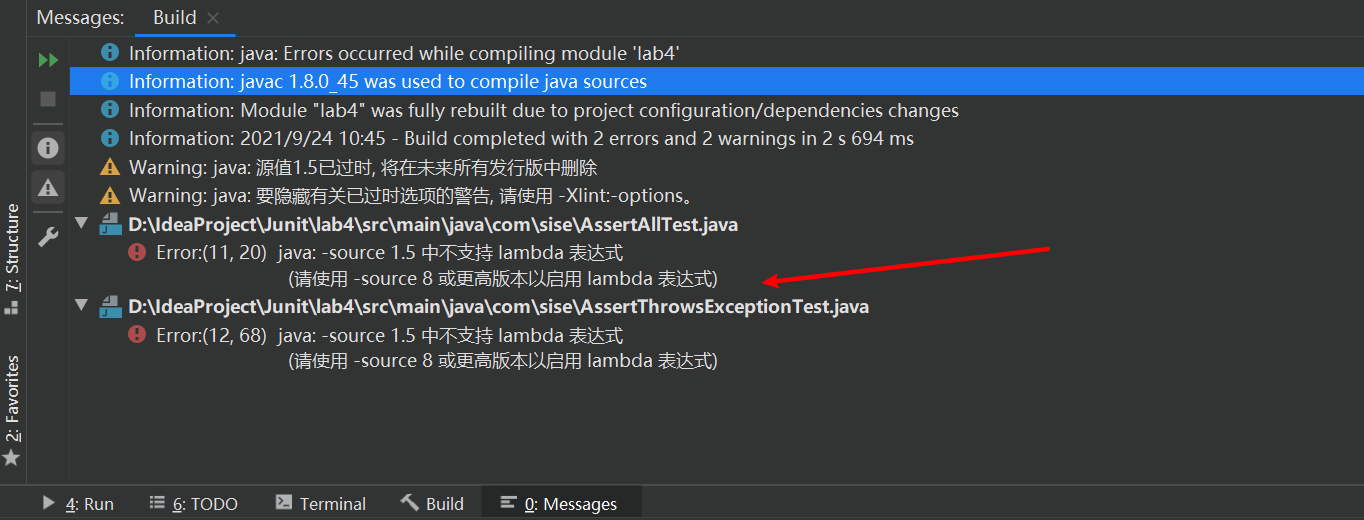
- 解决方案:项目名右键—->Open Moudle Setting(或者F4)—->language level
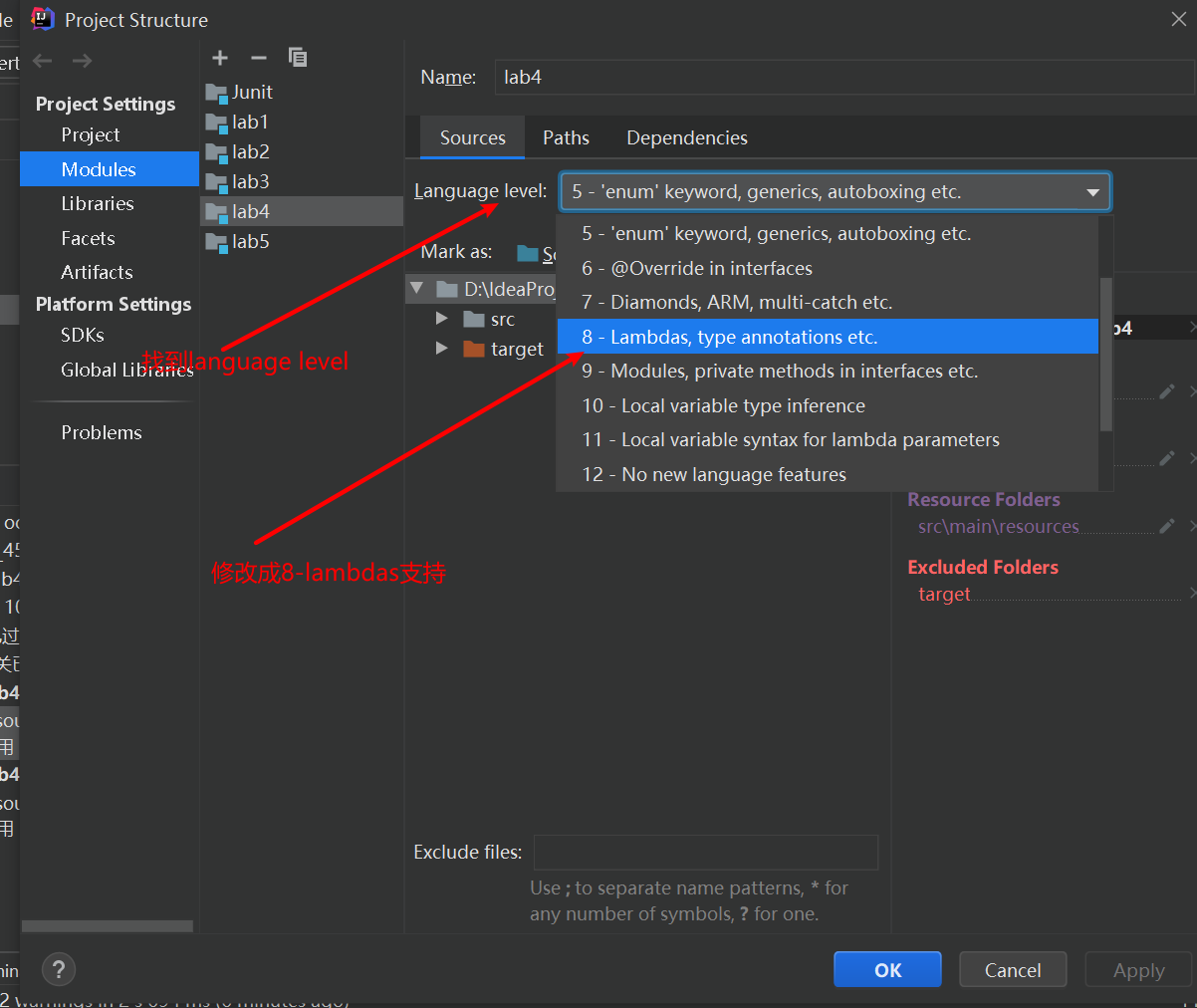
- 修改完后,有可能可以运行,但也有可能出现这种情况:Error:java: Compilation failed: internal java compiler error
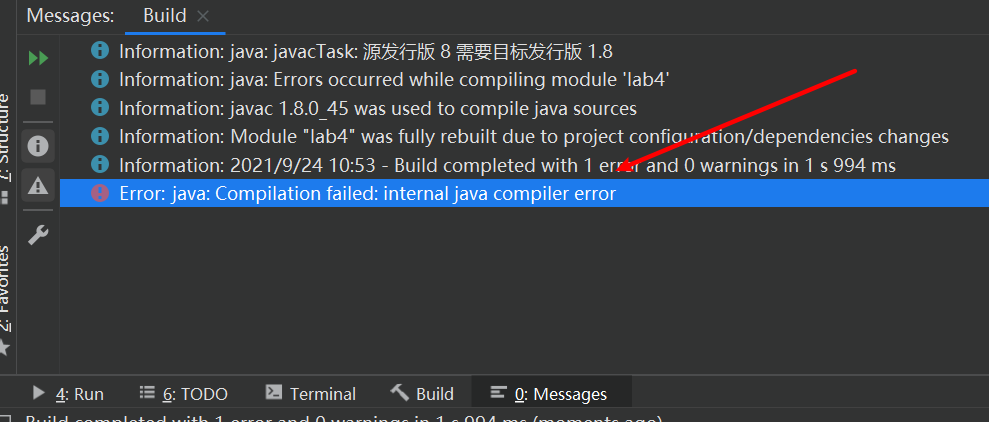
- 错误原因主要是:JDK和SDK,还有Java编译编译器版本问题
- 查看JDK和SDK版本是否一致:File—>Project Structure—>Project
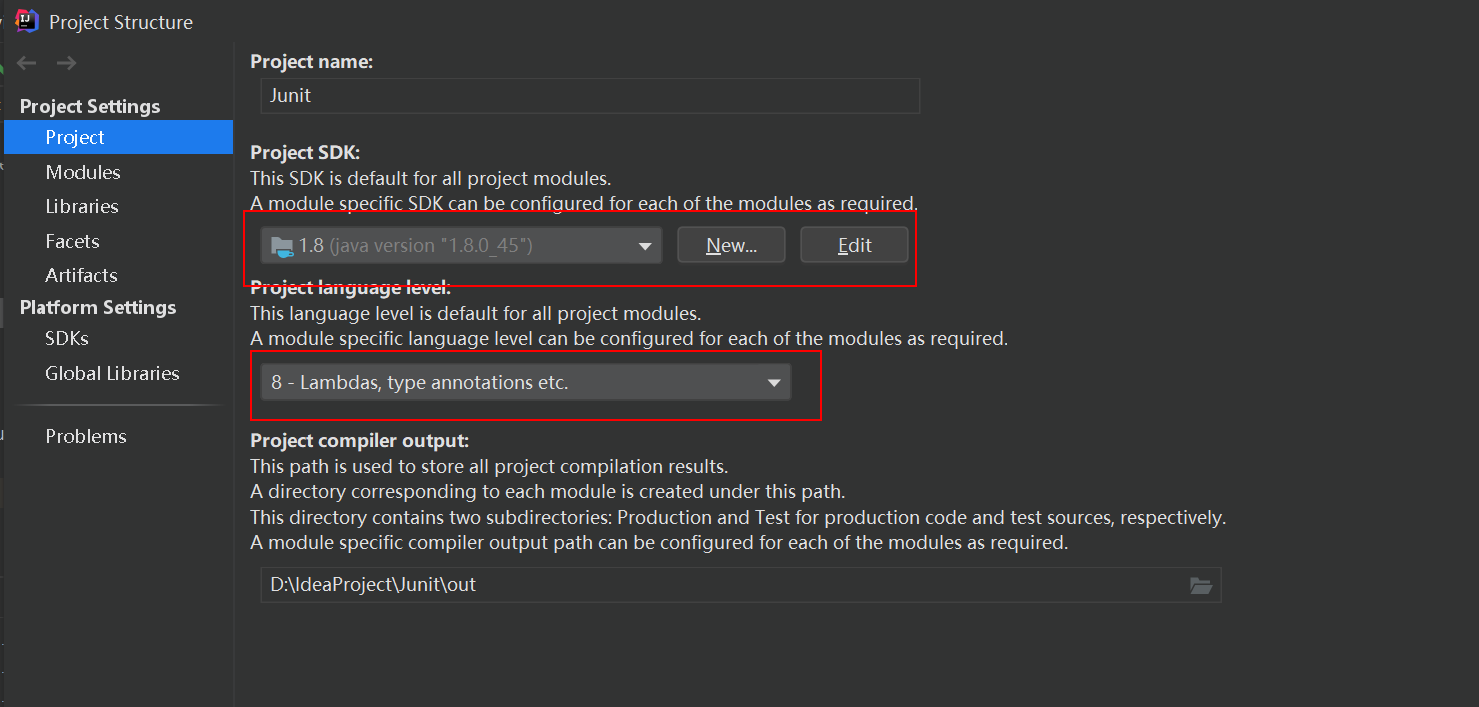
如果不一致,把它们改成一致,但是一般很少出现这种情况
- 查看Java编译器(Java compilation):File—>Setting–>Build, Execution, Deployment–>java compilation
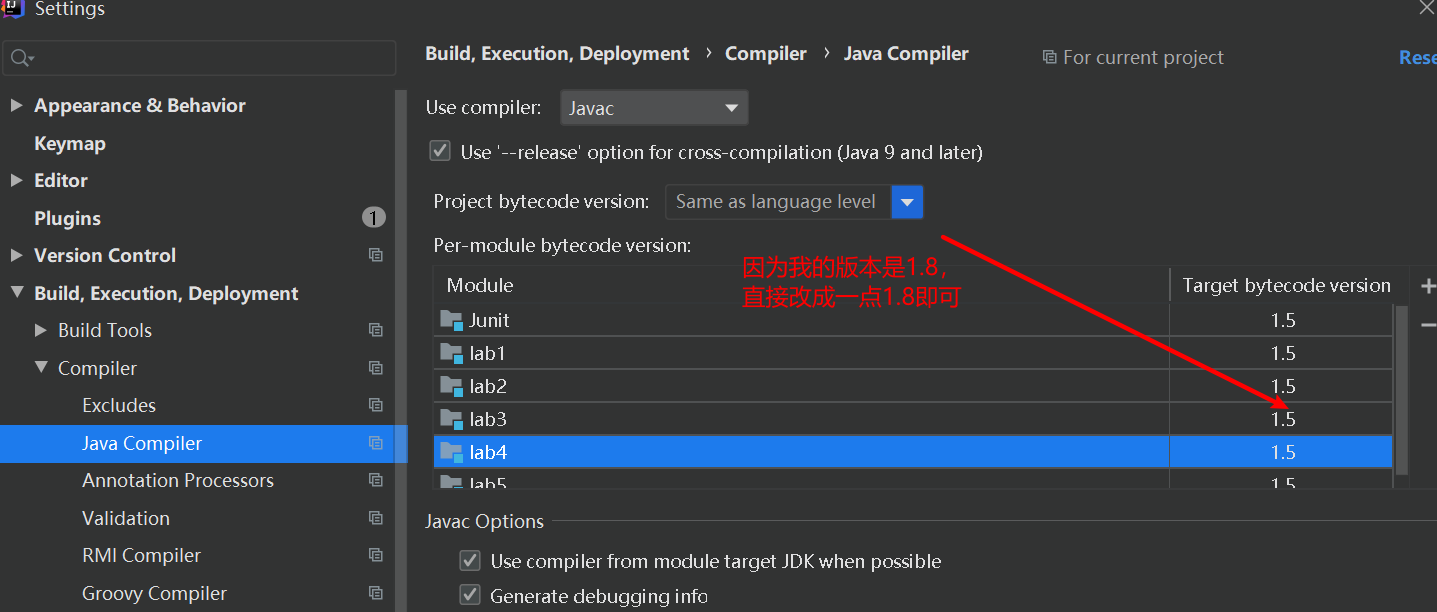
或者直接pom.xml导入一个maven资源过滤也行
| <build>
<plugins>
<plugin>
<groupId>org.apache.maven.plugins</groupId>
<artifactId>maven-compiler-plugin</artifactId>
<configuration>
<source>1.8</source>
<target>1.8</target>
</configuration>
</plugin>
</plugins>
</build>
|
测试参数化Csv路径问题
在maven管理工具中,要放在resources路径下,会直接找到该路径
| @CsvFileSource(resources = "/CsvSource.csv")
|
spring中JdbcTemplate错误解决
1、
| Field 'id' doesn't have a default value //idm
|
解决方案:id设置自增
2、
| org.springframework.core.type.AnnotationMetadata.introspect(Ljava/lang/Class;)Lorg/springframework/core/type/AnnotationMetadata;
|
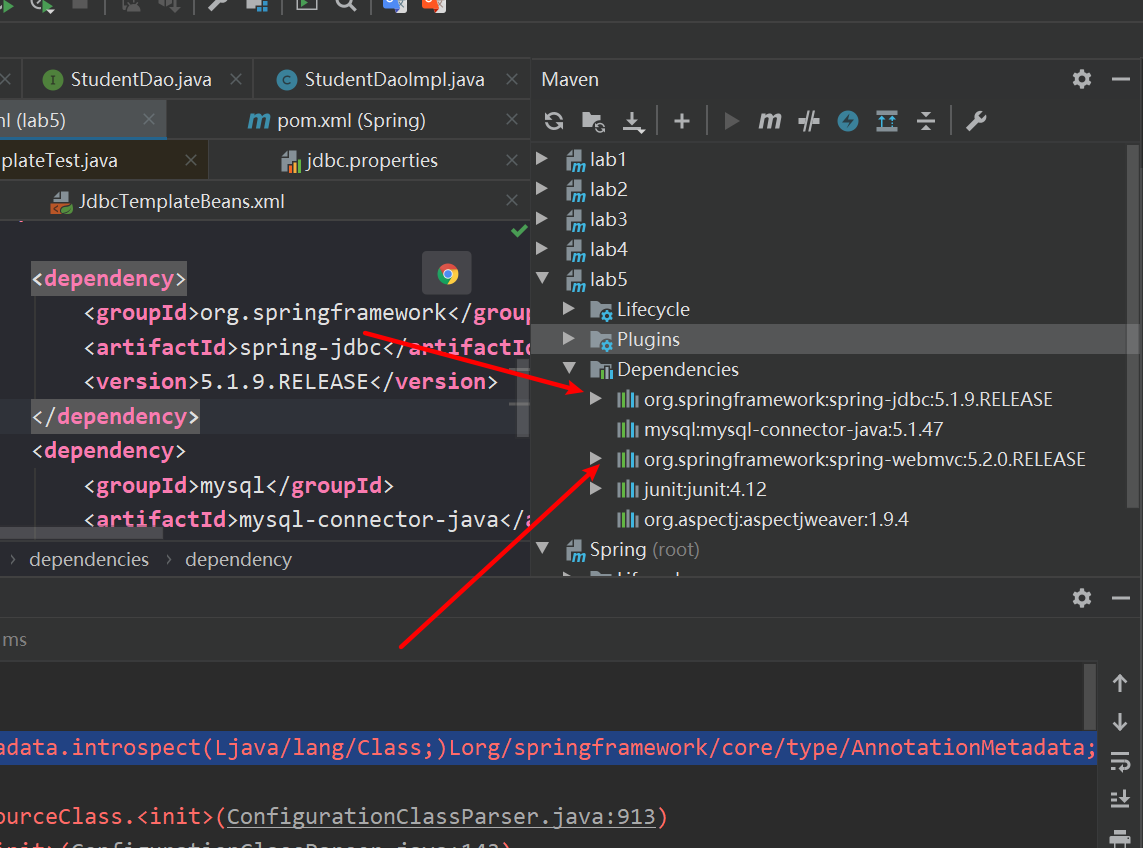
可能这两个位置搞反了